If you resell electronic pallets, your profit is rarely made when you buy. It is made (or lost) when you test, grade, and describe items before you list online.
A “works great” listing that turns into a return because the battery will not hold a charge, the Wi‑Fi drops, or the device is locked to someone else’s account can wipe out margin fast. The goal of this checklist is simple: reduce refunds and negative feedback while increasing sell-through.
What “tested” should mean for liquidation electronics
Marketplaces reward accuracy. Buyers tolerate cosmetic wear. They do not tolerate surprises.
Before you start, define three clear listing outcomes:
- Ready-to-list (fully functional): The item completes key functions for its category.
- Limited function (honest disclosure): The item works with a known issue (example: “HDMI works, one USB port nonfunctional”).
- Parts/repair: Do not imply functionality. List what you verified (example: “powers on, no further testing”).
This is also where most resellers improve overnight: stop using one generic “tested” label. Build category-based minimum tests.
Set up a simple electronics testing station (low cost, high impact)
You do not need a lab. You need repeatable steps.
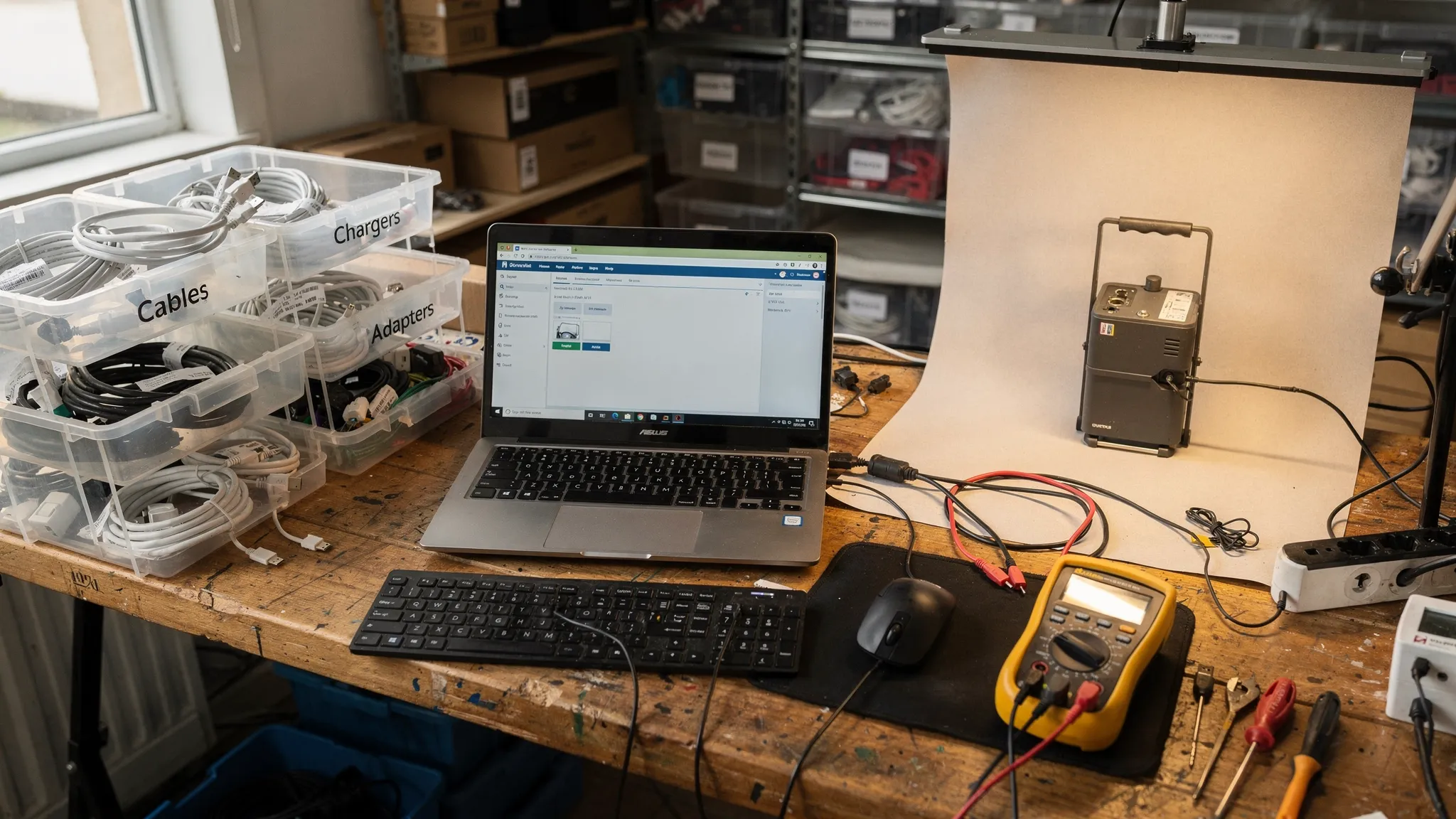
Core workstation basics
- A clean table with good lighting
- Surge protector, spare outlets, and cable management
- Label printer or masking tape and a marker for quick tagging
- Photo area (solid background) so you document condition consistently
Tools that cover most electronic pallets
- Universal charging options (USB‑C, Micro‑USB, Lightning, barrel adapters if you handle laptops)
- HDMI cable, Ethernet cable, basic USB keyboard and mouse
- Known-good SD card and USB flash drive
- Headphones (3.5mm + Bluetooth-capable device)
- Multimeter (basic continuity and power checks)
- Compressed air and soft brush (dust blocks fans and ports)
If you handle computers regularly
- A “known good” power adapter(s) for common laptop brands you resell most
- External monitor for quick display tests
- A bootable USB (for diagnostics) if you know how to use one (optional)
Safety first: batteries, recalls, and e-waste
Electronics pallets often include damaged or unknown-condition items. Protect your business and your workspace.
Lithium battery red flags
Stop processing and isolate items if you see:
- Swollen battery, bulging case, or lifted screen
- Burning smell, hissing, unusual heat while charging
- Visible puncture or damage to battery pack
If you ship items with lithium batteries, follow carrier and marketplace rules. The U.S. Department of Transportation provides hazmat guidance for lithium batteries (start with PHMSA’s lithium battery resources).
Data privacy is not optional
If you resell devices that can store personal data (phones, tablets, laptops, smart devices with saved accounts), you need a repeatable wipe process. A widely referenced standard for media sanitization is NIST Special Publication 800-88.
You do not need enterprise tooling to be responsible, but you do need consistent steps and documentation.
The receiving workflow that keeps electronic pallets profitable
The biggest mistake with liquidation electronics is “testing everything to perfection.” That kills throughput.
Use a quick triage that takes seconds per unit:
Step 1: Intake and tag
Assign each item a simple ID (sticker or tape). Record:
- Item type and brand
- Serial number (photo is fine)
- Visible condition notes (cracks, missing parts)
- What accessories were included
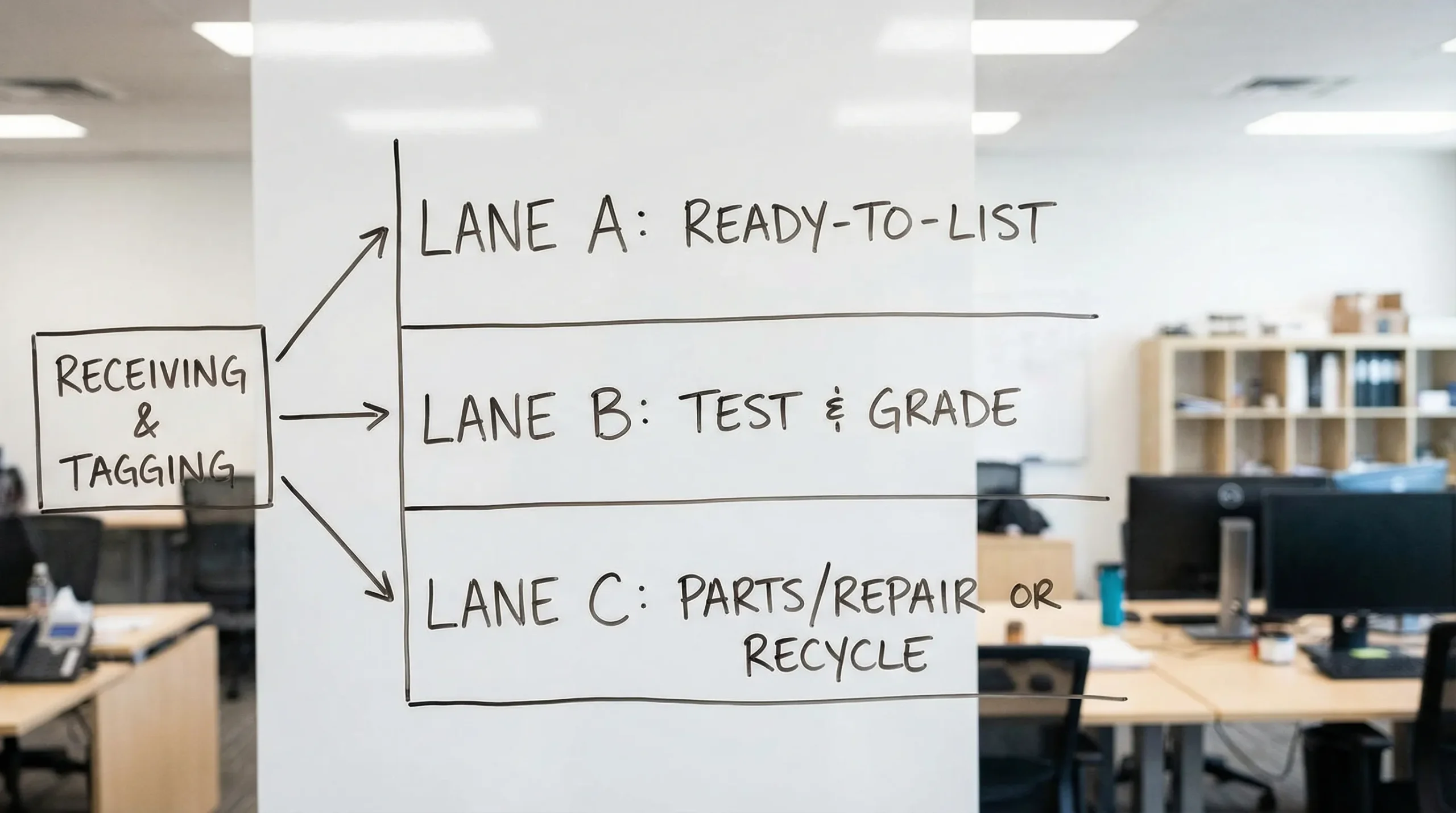
Step 2: Sort into three lanes
- Lane A (fast flip): New/open-box, accessories, simple devices
- Lane B (test & grade): Consoles, laptops, routers, monitors
- Lane C (parts/repair or recycle): Broken screens, corrosion, battery damage, locked devices
Step 3: Time-cap your testing
A practical rule is: if you cannot prove full function quickly, downgrade and move on. The right cap depends on your labor cost and your average selling price.
Electronic pallets testing checklist (by category)
Use the table below as your “minimum viable test” before listing. If you cannot complete the minimum test, list in a lower condition tier.
| Category | Minimum test (before listing as working) | Common failure points | What to disclose in listing |
|---|---|---|---|
| Phones/tablets | Power on, charge, touchscreen response, cameras open, speakers/mic test, Wi‑Fi connects | Account locks (iCloud/FRP), bad batteries, cracked digitizers | Battery health notes (if known), carrier lock status (if known), account lock status |
| Laptops | Boots to OS or BIOS, charges, keyboard/trackpad basics, Wi‑Fi connects, speakers, webcam (if present) | Bad chargers, SSD failures, overheating, BIOS/admin locks | Specs confirmed (RAM/storage), battery behavior, any dead keys, cosmetic wear |
| Desktops | Power on, POST/boot, video output, USB ports basic, network test | PSU failure, missing storage, GPU issues | What is included (tower only vs complete), ports tested |
| Gaming consoles | Boots, reads disc (if applicable), controller syncs, connects to Wi‑Fi, basic gameplay test | Overheating, disc drive failure, banned/locked accounts | Storage size (if known), controller included, online access notes (if verified) |
| Monitors/TVs | Power on, backlight, HDMI input tested with known-good source, check for dead pixels/lines | Cracked panels, backlight bleed, bad ports | Screen defects (photos), included stand/cables |
| Routers/modems | Power on, factory reset, broadcast SSID, connect device, basic speed/connection check | ISP locks, bad power supplies, overheating | Model number, reset performed, compatibility notes if known |
| Printers | Power on, error-free startup, paper feed test, print test page (if possible) | Ink/toner cost, clogged heads, missing trays | Consumables status, errors shown, missing parts |
| Headphones/speakers | Power/charge, Bluetooth pairing, both channels, buttons/controls | Blown drivers, battery issues, pairing failures | Battery behavior, cosmetic wear, included case/cables |
| Smart home devices | Power on, factory reset, app pairing (if feasible), basic function | Account binding, missing hubs, regional restrictions | Reset status, required hub/subscription notes |
| Accessories (cables, chargers) | Visual inspection, basic power delivery test if possible | Counterfeit risk, intermittent wiring | Exact specs (wattage, type), tested devices |
Use this as a baseline and customize for what you sell most.
Account locks and factory resets (the make-or-break step)
Many “returns pallets” include items returned because the owner did not sign out.
Minimum rule: If you cannot remove accounts and reset properly, treat the item as parts/repair or sell through a channel that allows locked-device disclosure (and price accordingly).
Key checks to build into your workflow:
- Apple devices: Activation Lock (iCloud) status after reset
- Android devices: Factory Reset Protection (FRP) risk after reset
- Windows laptops: BIOS passwords, BitLocker recovery prompts, admin locks
- Consoles: Confirm you can access settings and sign-in screens behave normally (avoid implying account access)
Keep your language factual in listings: state what you verified, not what you assume.
Cosmetic grading that prevents returns
Online buyers care about two things: function and surprises.
When you process electronic pallets, photograph and disclose:
- Cracks, dents, deep scratches, and missing rubber feet
- Port damage (bent USB, loose HDMI)
- Screen defects (lines, dead pixels, pressure marks)
- Missing accessories (chargers, stands, remotes)
A good practice is to use consistent grades (example: “A/B/C”) with a short definition you repeat in every listing. Consistency improves feedback and reduces “item not as described” claims.
Listing language that protects you (and keeps buyers happy)
Avoid vague phrases that trigger disputes.
Better:
- “Tested: boots to BIOS, charges, Wi‑Fi connects, keyboard and trackpad responsive.”
- “Tested HDMI input with known-good laptop (photo of test screen included).”
Risky:
- “Looks new, should work.”
- “No time to test, sold as is” (fine for parts lots, but do not combine with “working”).
If you sell on eBay, align condition choices with eBay’s definitions and keep your notes consistent with the selected condition (see eBay’s item condition guidance).
Quick math: when to stop testing and sell as parts
Testing is not free. It is labor.
A simple decision rule:
- If an item’s expected net profit when working is small, do not spend 30 minutes trying to revive it.
- If the item is high-value but failure rates are high, build a stricter checklist and require full pass results before listing as working.
Your goal is a repeatable recovery model, not a heroic fix.
How this fits into buying better electronic pallets
Testing gets easier when you buy lots that match your workflow:
- Manifested loads help you pre-plan chargers, adapters, and likely failure points.
- Clear condition notes let you decide upfront what percentage you will route to parts/repair.
- Consistent sourcing lets you standardize your station and processes.
If you are still deciding what categories are safest in liquidation electronics, pair this checklist with: Liquidation Electronics: What to Buy and What to Avoid.
If you are buying Amazon-origin inventory, these guides help you match condition to your testing labor:
- Amazon Pallets Explained: Conditions, Manifests, and Margins
- Amazon Pallets Returns: What “Customer Return” Really Means
And if you are scaling up beyond pallets, use: Truckload Liquidation Checklist: From Quote to Delivery.
Next step: build your own “pass/fail” sheet for your top 5 items
The fastest way to improve results from electronic pallets is to standardize.
Pick the five product types you see most (example: laptops, routers, consoles, headphones, monitors). For each one:
- Define the minimum test required to list as working
- Define what automatically becomes parts/repair
- Define what you must photograph every time
That single-page sheet will do more for your margins than chasing higher MSRP loads.
When you are ready to source electronics in volume with nationwide shipping and manifests, start with American Bulk Pallets and focus on lots that match your testing capacity, not just your budget.